Copilot

Excel'de Copilot Nasıl Kullanılır? Agent Mode, Türkçe ve Örnekler (2026)

Excel Copilot ile formül yazdırın, veriyi analiz edin, pivot ve grafik oluşturun. Agent Mode ile çok adımlı modeller kurun. Türkçe istem örnekleri ve lisans bilgisi.

31 Eki 2026 Murat Osma 7 görüntüleme
Excel'de Copilot Nasıl Kullanılır? Agent Mode, Türkçe ve Örnekler (2026)

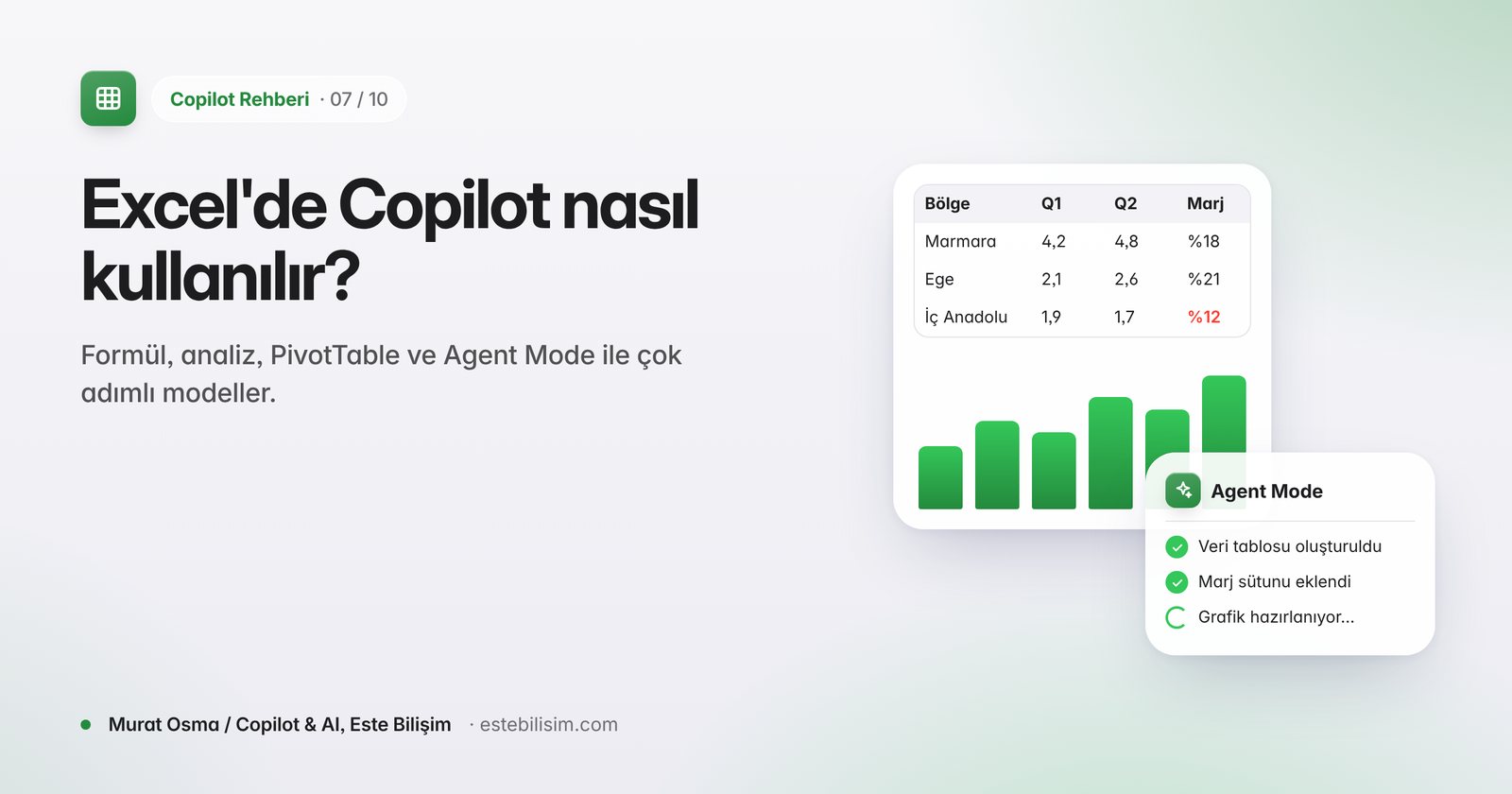
Excel'de Copilot'u kullanmak için çalışma kitabını açın, Giriş sekmesindeki veya sağ alttaki Copilot simgesine tıklayın ve ne istediğinizi Türkçe yazın. Copilot formül önerir, veriyi analiz eder, PivotTable ve grafik oluşturur; Agent Mode ise bütçe veya finansal model gibi çok adımlı işleri sizin onayınızla doğrudan çalışma kitabında yürütür.

Başlamadan önce: verinizi hazırlayın

  • Veriyi tablo biçimine çevirin (Ctrl+T) ve sütunlara açık başlıklar verin.
  • Boş satır ve birleştirilmiş hücrelerden kaçının.
  • Dosyayı OneDrive veya SharePoint'e kaydedin; Otomatik Kaydet açık olsun.

Copilot ile yapılabilecek 5 temel iş

İşÖrnek Türkçe istem
Formül sütunu"Satış ve Maliyet sütunlarından Kâr Marjı yüzdesini hesaplayan bir sütun ekle"
Vurgulama"Hedefin yüzde 10 altında kalan satırları kırmızıyla vurgula"
Analiz"Hangi ürün grubunda satışlar son üç ayda düştü? Nedenini veriye göre açıkla"
Özet tablo ve grafik"Bölge ve aya göre toplam satışı gösteren bir PivotTable ve çizgi grafik oluştur"
Veri temizleme"Ad Soyad sütununu Ad ve Soyad olarak iki sütuna ayır"

Agent Mode nedir, nasıl açılır?

Agent Mode, Copilot'un bir görevi adımlara bölüp Excel'in kendi araçlarıyla (tablolar, formüller, PivotTable'lar, grafikler, yeni sayfalar) uygulamasıdır. Her adımı görebilir, durdurabilir ve düzeltebilirsiniz.

  1. Excel'i web, Windows veya Mac'te açın.
  2. Copilot bölmesini açın.
  3. Araçlar menüsünden Agent Mode'u seçin.
  4. Görevi bütün olarak tarif edin: "Ekteki satış verisinden 2027 için aylık bütçe modeli kur; varsayımları ayrı sayfada tut, senaryo için yüzde 5 ve yüzde 10 büyüme seçenekleri ekle."

Agent Mode, Ocak 2026'da Excel masaüstünde genel kullanıma açıldı; Nisan 2026'da Word ve PowerPoint'teki Agent Mode ile birlikte Office genelinde standart hale geldi. Agent Mode'da GPT veya Claude modellerinden biri seçilebilir.
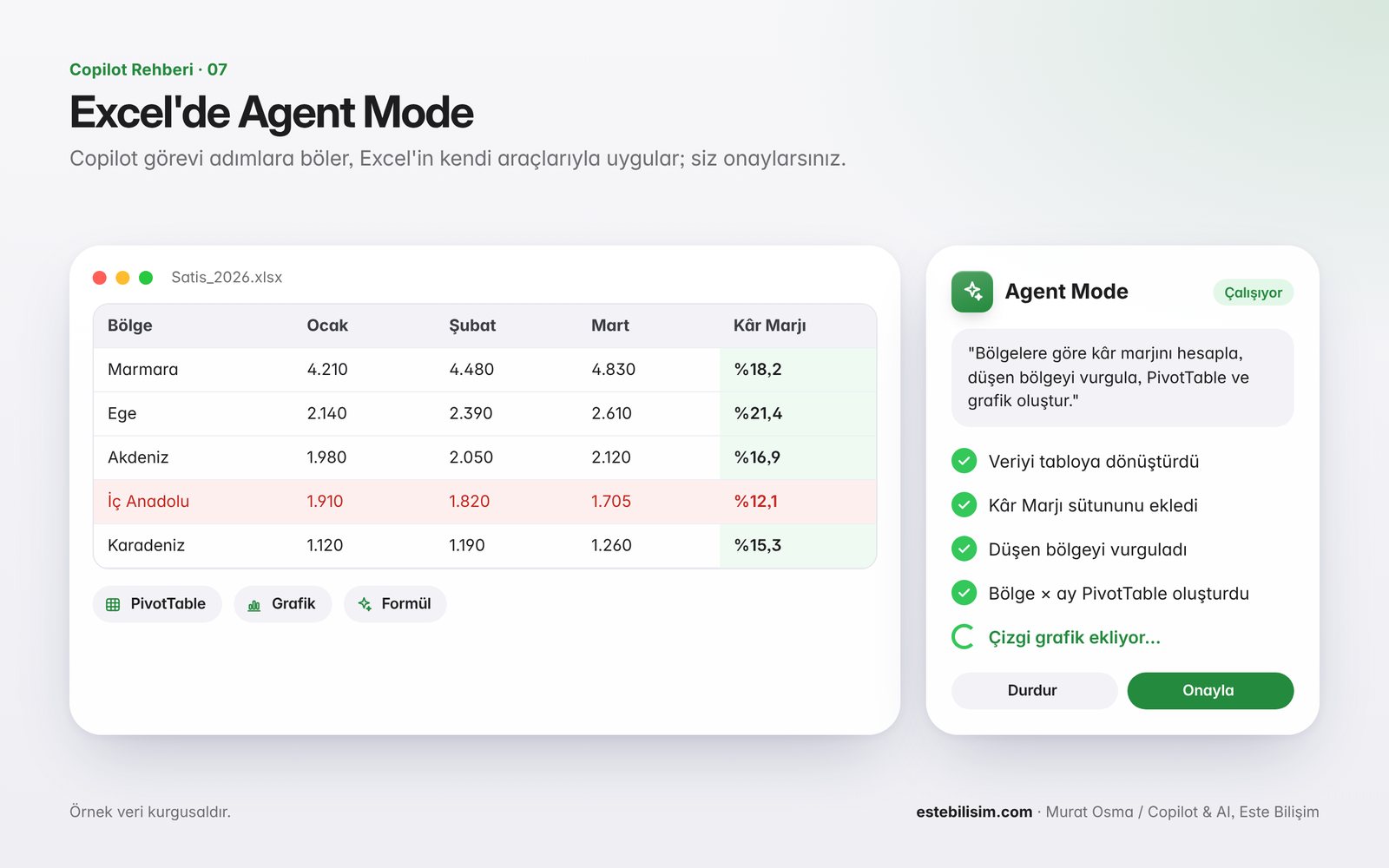
Excel'de Agent Mode: Copilot görevi adımlara bölüp çalışma kitabında uygular

Excel Copilot ücretli mi?

Excel içindeki tam Copilot deneyimi ve Agent Mode, Microsoft 365 Copilot (veya Copilot Business) lisansıyla gelir. Lisanssız kullanıcılar için durum kuruluş büyüklüğüne bağlıdır: 2.000'den fazla kullanıcılı kuruluşlarda Excel içinde Copilot görünmez; daha küçük kuruluşlarda standart erişim sürer. Microsoft 365 Personal, Family ve Premium aboneleri de Agent Mode'u kendi kullanım kredileriyle kullanabilir (bkz. Copilot ücretli mi? Microsoft 365 Copilot fiyatı ve lisans seçenekleri).

Excel Copilot Türkçe çalışır mı?

Evet. Türkçe, Microsoft 365 Copilot'un desteklenen dilleri arasındadır ve Microsoft'un güncel dil sayfasında Excel için ayrı bir dil kısıtı yer almamaktadır. Eski kaynaklarda geçen "Excel'de Copilot yalnızca 8 dil destekler" notu artık geçerli değildir. Türkçe bölgesel ayarlarda formüllerin noktalı virgül ayıracı ve Türkçe işlev adlarıyla doğru yazıldığını kontrol etmeniz önerilir (bkz. Copilot Türkçe destekliyor mu?).

Doğruluk için 3 kural

  1. Copilot'un eklediği formülleri birkaç satırda elle doğrulayın.
  2. "Bu sonuca nasıl ulaştın?" diye sorarak adımları görün.
  3. Kritik raporlarda değişiklikleri sürüm geçmişiyle takip edin.

Sık sorulan sorular

Copilot Excel'de neden görünmüyor?

Lisans, güncelleştirme kanalı veya hesap sorunu olabilir (bkz. Copilot nasıl açılır, aktif edilir? Copilot neden çalışmıyor?).

Yerel dosyalarda çalışır mı?

Agent Mode için yerel dosya desteği 2026'da eklendi; yine de en kararlı deneyim OneDrive ve SharePoint'teki dosyalardadır.

Copilot büyük veri setlerini analiz edebilir mi?

Evet; çok büyük veya karmaşık analizlerde Copilot Chat'teki Analyst ajanı, veriyi Python ile işleyerek daha derin sonuç verir.

Excel ekipleri için atölye: ESTE Bilişim'in Excel Copilot atölyelerinde finans, satış ve operasyon ekipleri kendi verileriyle Agent Mode senaryoları çalışır.

Copilot workshop’u talep edin →

Paylaş: LinkedIn X WhatsApp

Bu kategoriden diğer yazılar

Copilot

How to Use Copilot in Excel? Agent Mode, English and Examples (2026)

Print formulas, analyze data, create pivots and charts with Excel Copilot. Set up multi-step models with Agent Mode. Turkish prompt examples and license information.

Oct 31, 2026 Murat Osma 7 views
How to Use Copilot in Excel? Agent Mode, English and Examples (2026)

To use Copilot in Excel, open the workbook, click the Copilot icon on the Home tab or in the bottom right, and type what you want. Copilot suggests formulas, analyzes data, creates PivotTables and charts; Agent Mode executes multi-step tasks such as budgets or financial models directly in the workbook with your approval.

Before you begin: prepare your data

  • Convert the data to table format (Ctrl+T) and give the columns clear headers.
  • Avoid blank row and merged cells.
  • Save the file to OneDrive or SharePoint; have AutoSave turned on.

5 essential jobs that can be done with Copilot

JobExample Turkish promptFormula column"Add a column that calculates the Profit Margin percentage from the Sales and Cost columns"Highlighting"Highlight the rows that are 10 percent below the target in red"Analysis"Which product group has sales decreased in the last three months? Explain why by data"Summary table and chart"Create a PivotTable and line chart that shows total sales by region and month"Data cleaning"Divide the First Name column into two columns as First Name and Last Name"

What is Agent Mode and how to turn it on?

Agent Mode allows Copilot to break down a task into steps and apply it with Excel's own tools (tables, formulas, PivotTables, charts, new sheets). You can see, stop, and correct each step.

  1. Open Excel on the web, Windows, or Mac.
  2. Open the Copilot pane.
  3. Select Agent Mode from the Tools menu.
  4. Describe the task as a whole: "Create a monthly budget model for 2027 from the attached sales data; keep the assumptions on a separate page, add 5 percent and 10 percent growth options for the scenario."

Agent Mode became generally available on the Excel desktop in January 2026; in April 2026, it became standard across Office, along with Agent Mode in Word and PowerPoint. In Agent Mode, one can choose either GPT or Claude models.

Excel'de Agent Mode: Copilot görevi adımlara bölüp çalışma kitabında uygular

Is Excel Copilot paid?

The full Copilot experience and Agent Mode within Excel come with a license for Microsoft 365 Copilot (or Copilot Business). For unlicensed users, the status depends on organization size: in organizations with more than 2,000 users, Copilot in Excel will not appear; in smaller organizations, standard access will continue. Microsoft 365 Personal, Family, and Premium subscribers can also use Agent Mode with their own usage credits (see Copilot Premiums). Does Copilot cost? Microsoft 365 Copilot price and license options).

Does Excel Copilot work in Turkish?

Yes. English is among the supported languages of Microsoft 365 Copilot, and there is no separate language restriction for Excel on Microsoft's current language page. The note "Copilot in Excel only supports 8 languages" in older sources is no longer relevant. In Turkish regional settings, it is recommended that you check that formulas are spelled correctly with semicolon separators and Turkish function names (see Does Copilot support Turkish?).

3 rules for accuracy

  1. Manually validate formulas that Copilot adds in a few lines.
  2. See the steps by asking, "How did you get to this result?"
  3. Track changes in critical reports with version history.

Frequently asked questions

Why is Copilot not showing up in Excel?

It could be a license, update channel, or account issue (see Copilot). How to turn on and activate Copilot? Why isn't Copilot working?).

Does it work on local files?

Native file support for Agent Mode was added in 2026; still, the most stable experience is with files in OneDrive and SharePoint.

Can Copilot analyze large data sets?

Yes; for very large or complex analyses, the Analyst agent in Copilot Chat processes the data with Python to provide deeper results.

Workshop for Excel teams: In ESTE Informatics' Excel Copilot workshops, finance, sales and operations teams work on Agent Mode scenarios with their own data.

Request Copilot workshop →

Related posts